What to wear for
professional headshots.
Choose an outfit that belongs in the setting where your photo will appear. Here is a practical way to compare formality, color and small details before a photoshoot or an AI headshot order.
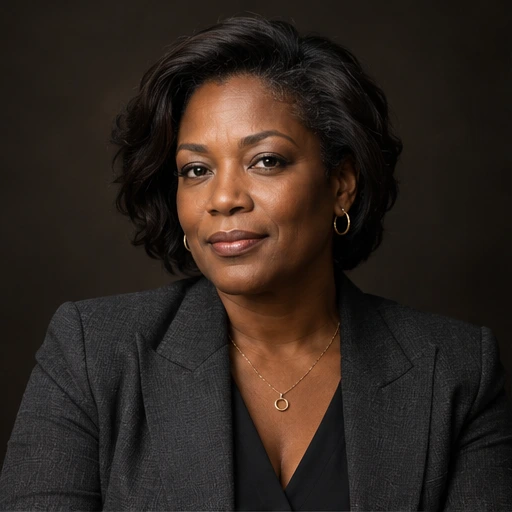
Morrow Studio · AI-assisted preparation guide · Updated October 24, 2026. Style suggestions are illustrative, not professional or hiring requirements.
Start with where the photo will be used
Use the tone of your company profile, personal website or professional network as a starting point. There is no single outfit that fits every role. A tailored jacket can suit a formal introduction; a simple shirt, blouse or knit can suit a more relaxed working profile. Choose something you would plausibly wear when meeting that audience.
Fictional AI style example · not a customer result

Fictional AI style example · not a customer result
These are different fictional people. This is a comparison of style directions, not a before-and-after transformation or proof of a specific outfit being reproduced.
Compare color and contrast with the background
Look for a visible separation between your clothing, hair and background. A pale top against a pale backdrop may blend at avatar size; a dark jacket against a dark backdrop may lose its outline. That is a reason to compare the preview, not a rule against light or dark clothing.
- Start with one main clothing color. Add another layer only if it helps the intended look.
- Judge the complete portrait rather than a color swatch: lighting changes how a fabric appears.
- If a company specifies a uniform or an exact brand color, use an appropriate real photograph when accurate reproduction is required.
Check the parts that remain in a head-and-shoulders crop
| Detail | What to inspect |
|---|---|
| Neckline and collar | Check the shape inside the final crop. A collar should look intentional, with enough room below the neck. |
| Patterns and text | Inspect fine stripes, repeated textures and logos at both full size and avatar size. If they become distracting or unclear, try a simpler direction. |
| Accessories | Keep what is part of your everyday appearance. Check earrings, necklaces and glasses for shapes or reflections that pull attention from the face. |
| Fit and edges | Inspect shoulders, lapels, buttons and sleeves. For AI images, check for broken seams, duplicated buttons or unfamiliar jewelry. |
For AI headshots, separate reference quality from the final look
Choose clear, recent references that show your face as it looks now. A wardrobe you like in one reference is not a guarantee that the generator will reproduce it. Morrow’s style selection sets an overall visual direction, and the generated result can change clothing, lighting and scene details.
Use a real photoshoot when an exact garment, professional insignia or a factual workplace setting must be shown. Do not use generated clothing as evidence of qualifications or an affiliation you do not have.
Prepare clear reference photosA final check before choosing two looks
- Name the destination: company bio, LinkedIn, personal website or an application that accepts a photo.
- Choose a formality level that suits that destination.
- Compare the face, clothing and background together at a small size.
- Choose a second look only if it offers a useful alternative, such as formal versus relaxed.