AI LinkedIn headshots,
from your own photos.
Create professional profile pictures for LinkedIn, your company bio and a personal website. Start with recent reference photos, then choose a classic or modern headshot style that fits how you work.
Morrow Studio is independent and is not affiliated with LinkedIn.
Choose a headshot that still looks like you
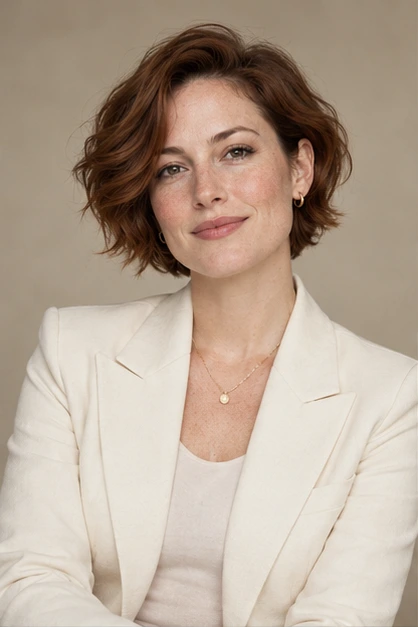
A professional profile picture should help someone recognize you on a call or at an event. Choose a recent-looking result with natural skin texture, a familiar expression and clear eyes. AI can change facial details; compare the image with your real appearance before publishing it. A polished picture is useful only if it represents you accurately.
- Keep your face easy to see at a small profile-picture size.
- Leave room around your head and shoulders for a circular crop.
- Check hair, glasses, ears, teeth and clothing edges for generated artifacts.
Match the background and outfit to your work
Classic studio looks suit a simple, formal introduction. Modern professional looks can work for a more relaxed company profile or personal site. Start with a background that does not compete with your face and clothing you would plausibly wear to work. Avoid a dramatic outfit or scene simply because it draws attention.
The same image may need different framing on LinkedIn, a speaker bio and a website. Keep the downloaded original and make a separate crop for each placement. Preview the small version before you publish.
Prepare reference photos for AI headshots
Use 2–8 recent, clear photos of the same person. A front view plus slight left and right views gives a useful starting set. Use soft, even light; keep your face unobstructed and avoid strong beauty filters, group photos and blurry screenshots. JPEG, PNG and WebP are accepted, up to 12 MB per photo.
Reference photos are private to your account. When you confirm generation, a reference collage and prompt are sent to the configured image processor. Reference photos expire after 7 days; review the privacy information before uploading.
See the reference-photo upload guideQuestions before creating a LinkedIn photo
Is this a free LinkedIn headshot generator?
Morrow uses a paid, one-time photo package. You can browse public fictional style examples before choosing a package; those examples are not generated from your uploaded photos.
Will every generated image look exactly like me?
No. Likeness and fine details can vary. Inspect each result and use only pictures that represent you accurately. Review the redo and refund policy if a package has a delivery problem.